> For the complete documentation index, see [llms.txt](https://help.cerby.com/llms.txt). Markdown versions of documentation pages are available by appending `.md` to page URLs; this page is available as [Markdown](https://help.cerby.com/setup-and-admin/business-hubs/connecting-your-paid-social-apps/meta-for-work/meta-for-work-tools-for-end-users.md).
# Meta for Work tools for end users
This article describes how to use Meta Work Accounts as an end user to access your organization’s Meta for Work tools.
Meta provides two main tools for your organization to manage portfolios and other assets: **Meta Work Accounts** and **Meta Business Manager**.
**Meta Work Accounts** provide a single login experience that enables you to use tools like Facebook Workplace, Workplace Chat, and Portal for work purposes. You can collaborate seamlessly with colleagues, share documents, and stay connected, all under one secure umbrella.
**Meta Business Manager** is the command center for marketing and advertising on Meta platforms like Facebook, Instagram, and WhatsApp. It’s the place where you can manage ad campaigns, create engaging content, analyze results, and gain valuable insights to grow your business.
**Meta Work Accounts** focuses on internal collaboration and communication, while Meta Business Manager tackles external marketing and advertising. In this article, you can find information about how you can access these tools securely.
{% hint style="danger" %}
**IMPORTANT:** [Meta for Work](https://forwork.meta.com/), released in July 2023 for beta testing, is being transitioned by some organizations to replace personal Facebook profiles as the default login for Meta Business Manager.
Note that this feature is currently available to **selected customers only**. For more information or to inquire about eligibility, please contact your Meta support representative.
{% endhint %}
***
## Access the Meta Work Accounts login page
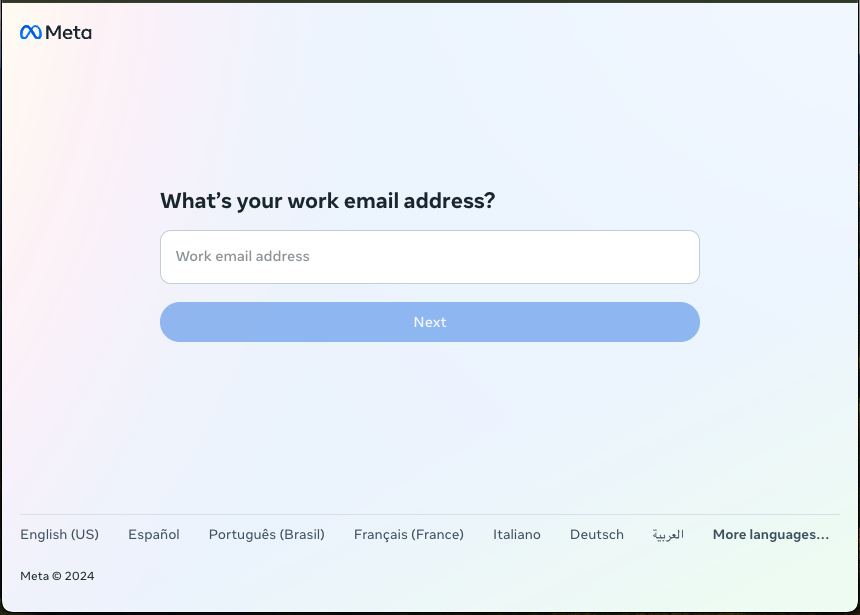
Log in to **Meta Work Accounts** using the [main](https://work.meta.com/) page, as shown in **Figure 1**.
Figure 1. Meta Work Accounts login page
***
## Access the Meta Business Manager login page
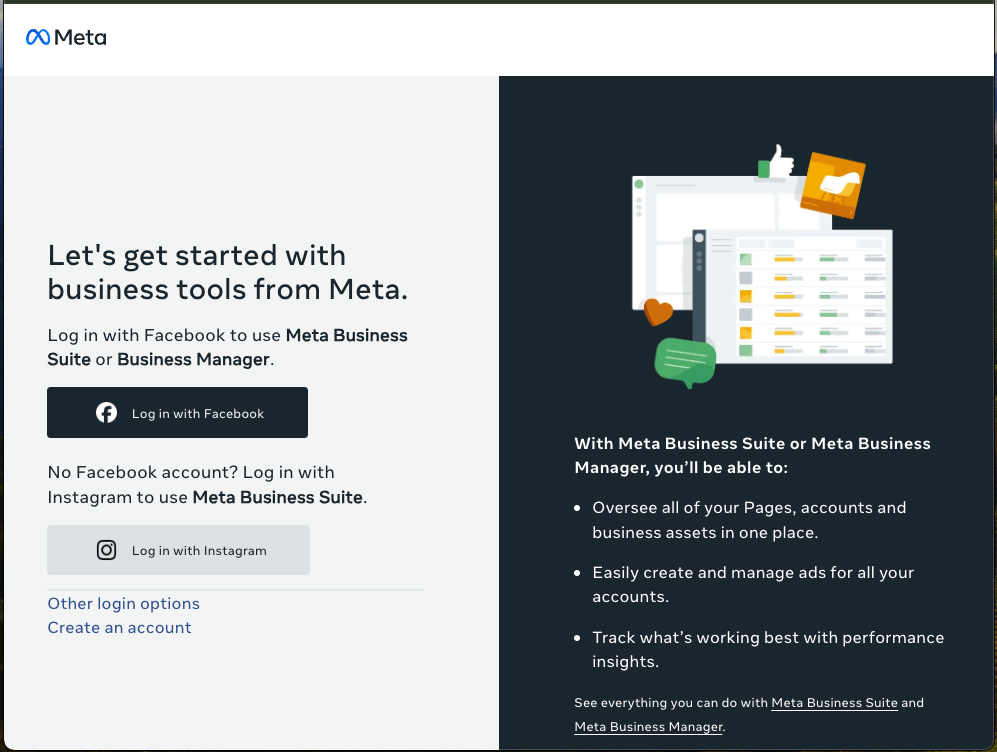
Log in to **Meta Business Manager** using the [main](https://business.facebook.com/) page, as shown in **Figure 2**.
Figure 2. Meta Business Manager login page
The **Meta Business Manager** login page provides different options for logging in. If you still use your Facebook or Instagram personal profile, click the corresponding button.
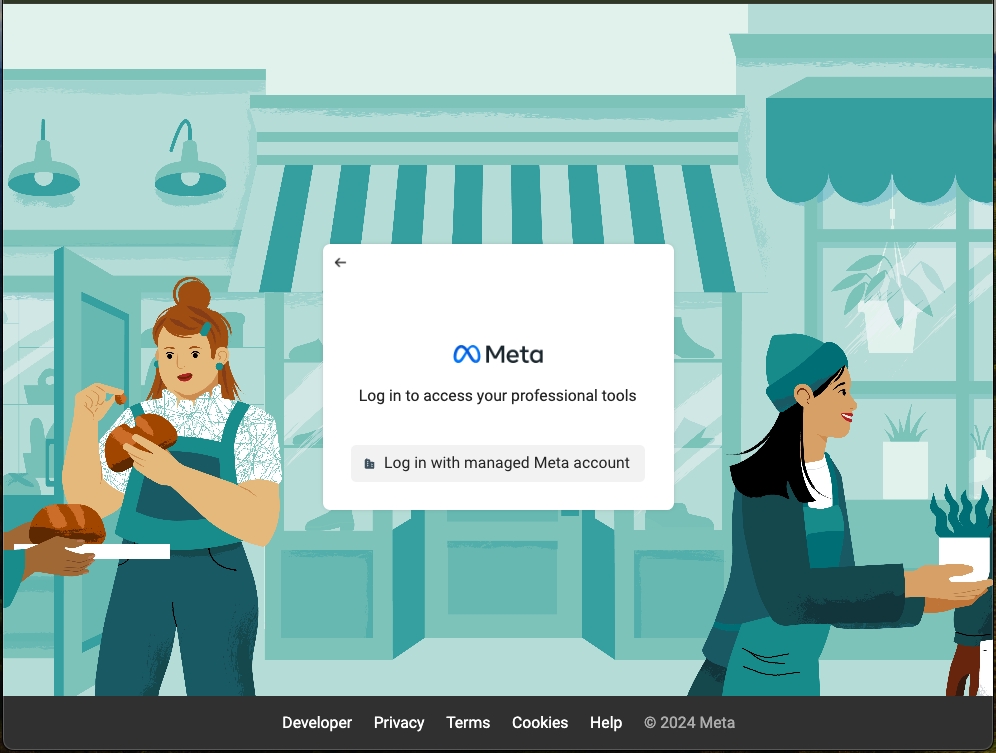
If you use a managed Meta account or **Meta Work Accounts**, click the **Other login options** button to display another page with the option to **Log in with managed Meta account**, as shown in **Figure 3**. With this option, you are redirected to the single sign-on (SSO) authentication page of your identity provider (IdP).
Figure 3. Meta Business Manager login options
You can read more about the login to the Meta tools in the [Log into your managed Meta account given to you by your organization](https://work.meta.com/help/1093311068161696/?helpref=topq) official guide.
You can also learn how to manage your account information by referring to the [Your account](https://work.meta.com/help/917581449131151/?helpref=hc_fnav) article.
---
# Agent Instructions
This documentation is published with GitBook. GitBook is the documentation platform designed so that both humans and AI agents can read, navigate, and reason over technical content effectively. Learn more at gitbook.com.
## Querying This Documentation
If you need additional information that is not directly available in this page, you can query the documentation by asking a question.
Perform an HTTP GET request on the following URL with the `ask` and `goal` query parameters:
```
GET https://help.cerby.com/setup-and-admin/business-hubs/connecting-your-paid-social-apps/meta-for-work/meta-for-work-tools-for-end-users.md?ask=&goal=
```
`ask` is the immediate question: it should be specific, self-contained, and written in natural language.
`goal` is what the user is ultimately trying to achieve, the reason they need the answer. Sharing it helps GitBook give you a better, more relevant answer. A goal is most helpful when it describes the outcome the user wants rather than restating the question. For example, with `ask=how do I create an API token`, a goal like `automate deployments from our CI pipeline` lets GitBook tailor the answer to that use case.
The response will contain a direct answer to the question and relevant excerpts and sources from the documentation.
Use this mechanism when the answer is not explicitly present in the current page, you need clarification or additional context, or you want to retrieve related documentation sections.